LegalDocs.com
A legal documents platform built from scratch (research, brand, a tokens-up design system, and the stakeholder fight that put pricing on the first page).
Project Overview
Problem:
Legal documents are intimidating, expensive, and slow for the individuals and small businesses who need them most.
What I did:
- User research (9 competitor audits, interviews, analytics)
- Brand identity & positioning
- Information architecture & flows
- UX/UI design for guided form-filling
- Design system (tokens, components, code-ready styles)
- Post-launch data-driven iteration
TL;DR
- Challenge: Build a legal document platform from scratch (research, brand, and a tokens-up design system) that matches eForms and LawDepot on day one and beats them on clarity.
- Scope: Sole designer. Lead UX, brand identity, IA, UI, design system, post-launch iteration. Feb–Jun 2025. Roughly 4 months from kickoff to MVP, plus post-launch tuning through public launch in June.
- Approach: Guided flow with contextual help, plain-language tooltips, cross-device continuity, and pricing on the first page. That part took a stakeholder fight to ship.
- Outcome: 15+ document types live across Business, Personal, and Real Estate. 30% lift in form-completion after a post-launch quick-win iteration (hiding non-required fields under expandable options so the form felt shorter at a glance).
“I had the pleasure of working with Andrei on several projects, and I can wholeheartedly recommend him to anyone looking for a talented and reliable UX/UI/Product designer. Andrei consistently delivered high-quality work that exceeded expectations. His designs are thoughtful, polished, and always aligned with project goals. What sets him apart is his strong UX sensibility. He doesn’t just create visually appealing designs, he genuinely understands user needs and builds experiences that make sense from the user’s perspective. That combination of aesthetic skill and user-centered thinking is rare and valuable.”
Pavel Dubinin, CTO, LegalDocs.com / FinancialDocs.com
Picture a user halfway through an NDA. They’ve answered eight questions and they’re on question nine: “Do you want to include a severability clause?” They’ve never heard the term. There’s no explanation, no example, no help. They close the tab.
That moment was the heart of what LegalDocs.com had to solve. Legal documents are expensive, jargon-heavy, and slow. And most people need them at least once a year. Eviction notice, lease agreement, NDA, will, power of attorney. The category already had established players (eForms, LawDepot, and seven more I’ll get to). I needed to match them on day one and beat them on the part where users actually quit.
I joined as the sole designer with end-to-end ownership across three domains:
- Brand identity. Not in the brief, but I made the case for it. Eleven years in advertising taught me what every competitor in this category was leaving on the table: a brand with a personality the user actually trusted. Trustworthy, accessible, modern. Three words I kept on the wall as a filter for every other decision.
- User research. Nine competitor scorecards. User interviews. Analytics review. Reviews of the competition’s reviews.
- Product design. IA, flows, every screen, and the tokens-up design system across all 15+ document types.
This wasn’t a handoff-heavy process. I owned the vision from brand strategy to shipped pixels.
Visual Direction
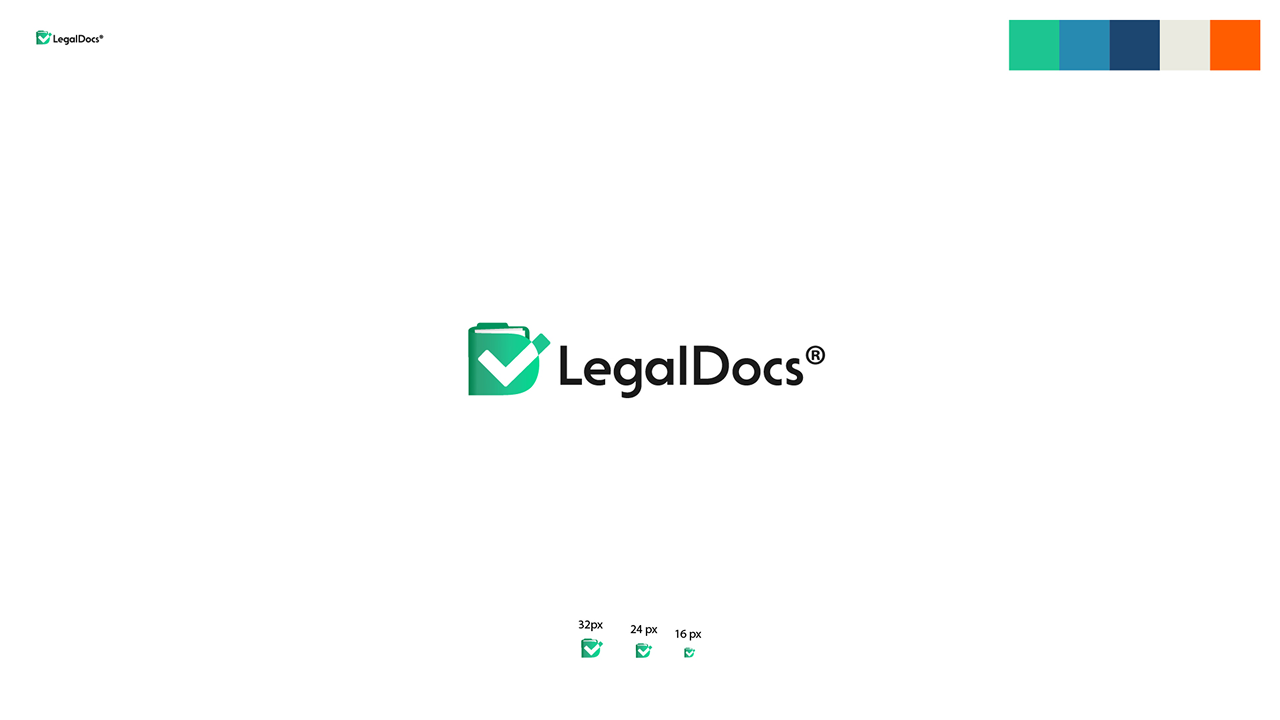
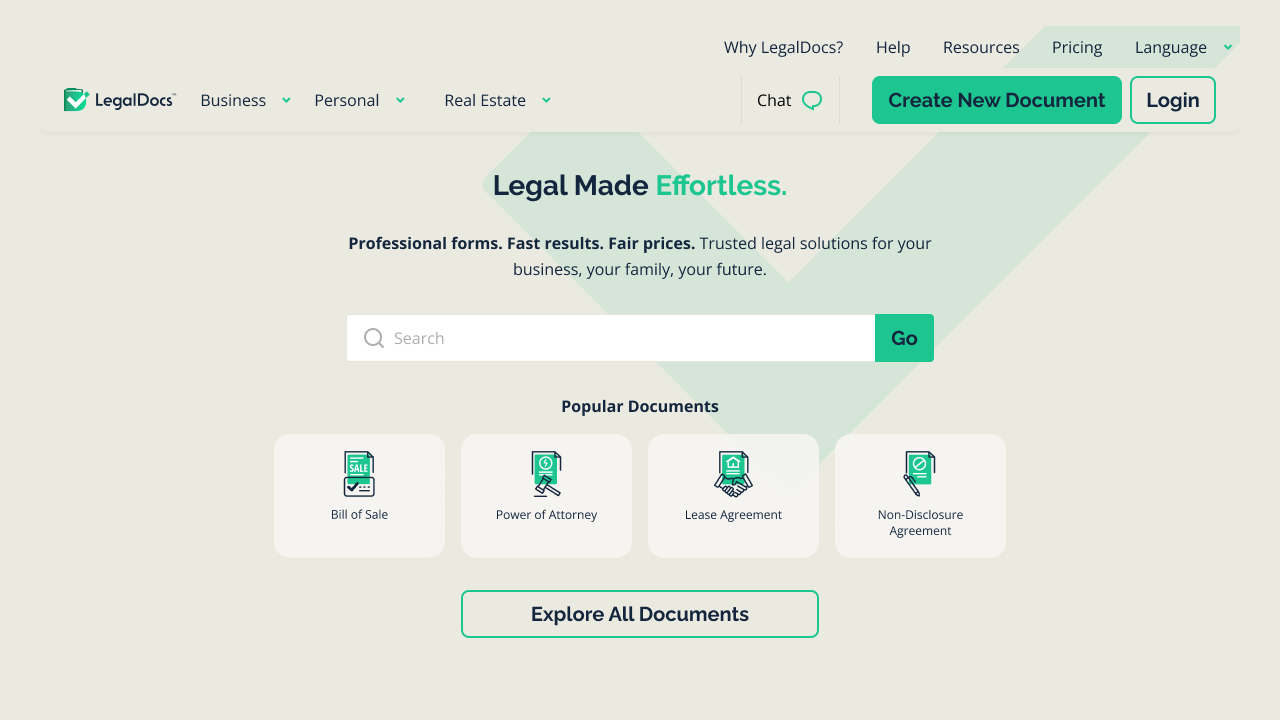
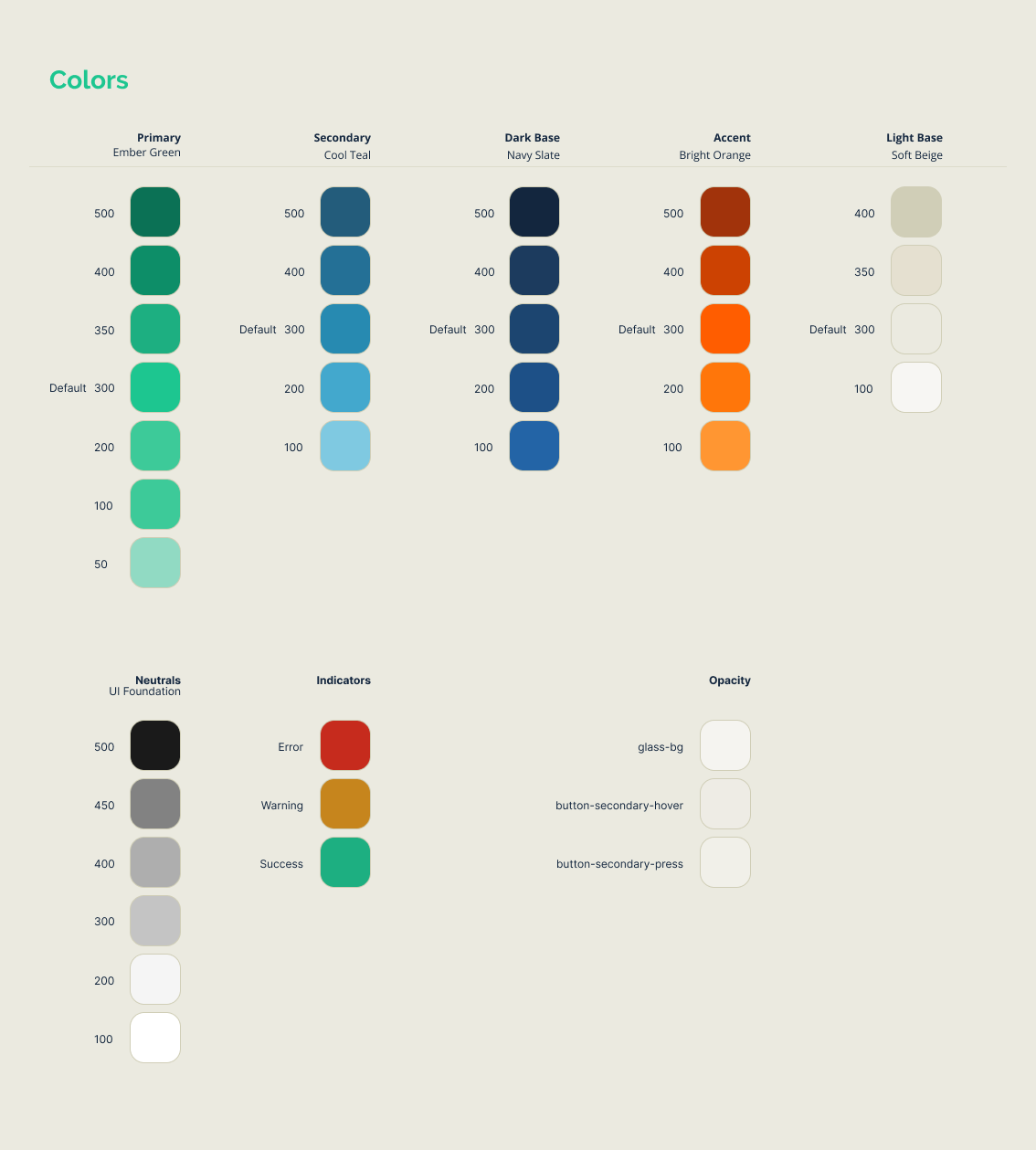
The visual language was built around clarity and a bit more warmth. Softer colors but still in the register of a professional, trustworthy tool.
The tone of voice matched: plain language that demystifies legal jargon, professional but never condescending. When a user encounters a term like “indemnification,” they shouldn’t need a law degree to understand it.
Methods
Before designing anything, I needed to understand the landscape:
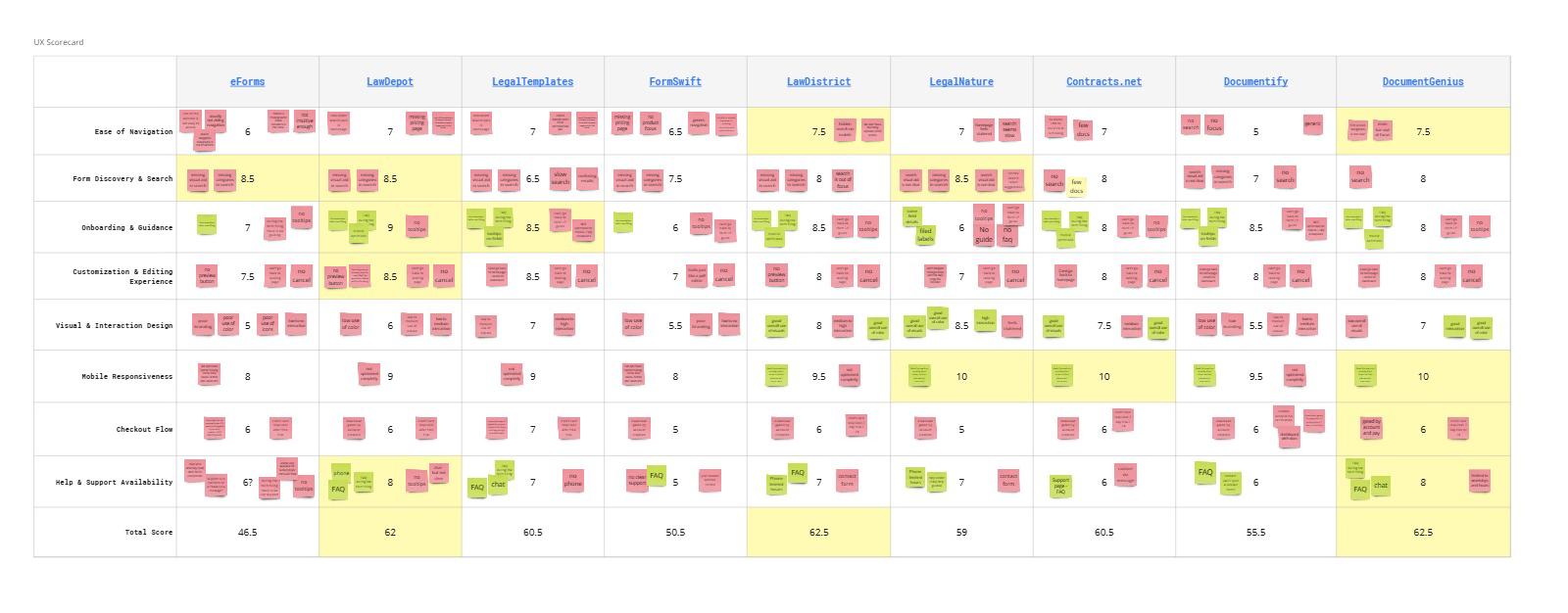
- Competitor product audits - Deep analysis of eForms.com and LawDepot.com as primary benchmarks, plus seven other players (Legaltemplates, FormSwift, Lawdistrict, LegalNature, Contracts.net, Documentify, DocumentGenius). I analysed the same flow for the same form on all competitor platforms, created scorecards for each, and noted the practices they had that had potential to lead users to drop, as well as the ones that could lead to the opposite of course.
- User interviews - Conversations with people who had used legal document services before. This, combined with the user reviews from the competition led to creating 4 personas that would fit the use cases and/or mindsets of the users for this type of product: personal, solopreneur, employee, and employer.
- Analytics review - Understanding user behavior patterns and drop-off points
I used AI tools to compile competitor research and organize findings across nine different platforms, which freed up time for deeper analysis and insight synthesis.
The fight to put pricing on page one
Halfway through wireframes, the most uncomfortable conversation of the project came up: should the user see what they were going to pay before they invested 15 minutes in answering questions, or only after?
The category default was after. Every major competitor hid pricing behind the form. The internal position aligned with the category. Surface pricing early, conversions drop. End of conversation.
I took half a day and pulled together a brief. Two hundred-plus screenshots of negative reviews from across the competitor set and the company’s own prior products, compiled with AI assistance into a sortable spreadsheet:
- 83% of negative reviews were about pricing transparency or subscription-trap mechanics.
- 6% were about value-for-price.
- The remaining 11% were usability problems.
Then I translated the finding into the language the room was already tuned to. Not “users hate this.” “This is the source of your churn, and it’s the cheapest thing on the roadmap to fix.”
We agreed on a one-month test with prices on the first page. At the end of that month, 27 reviews came in. Zero were about pricing. All 27 were actual product feedback we could act on. The change was made permanent.
The lesson I take into every product conversation since: if you can’t translate a UX problem into churn or retention or revenue, you don’t have a UX argument. You have a personal preference. Once it’s in their language, it’s not a fight anymore.
The key insight
Users got stuck on legal jargon and didn’t understand the meaning or importance of their options.
People would reach a question like “Do you want to include a severability clause?” and freeze. They didn’t know what it meant, whether they needed it, or what would happen if they chose wrong. The uncertainty caused abandonment, or worse, documents completed incorrectly.
This insight shaped what became the product’s core: contextual help at every decision point.
Building the architecture
The platform needed to serve both individuals and businesses across a wide range of document types. I organized the experience around three clear categories:
- Business: Bill of Sale, NDAs, LLC Operating Agreements, Partnership Agreements, Commercial Leases, Employment Verification
- Personal: Wills, Power of Attorney, Prenuptial Agreements, Child Travel Consent
- Real Estate: Lease Agreements, Eviction Notices, Purchase and Sale Agreements
The download document user flow was pretty simple: Choose → Complete → (Optional) Free Account → Pay → Download.
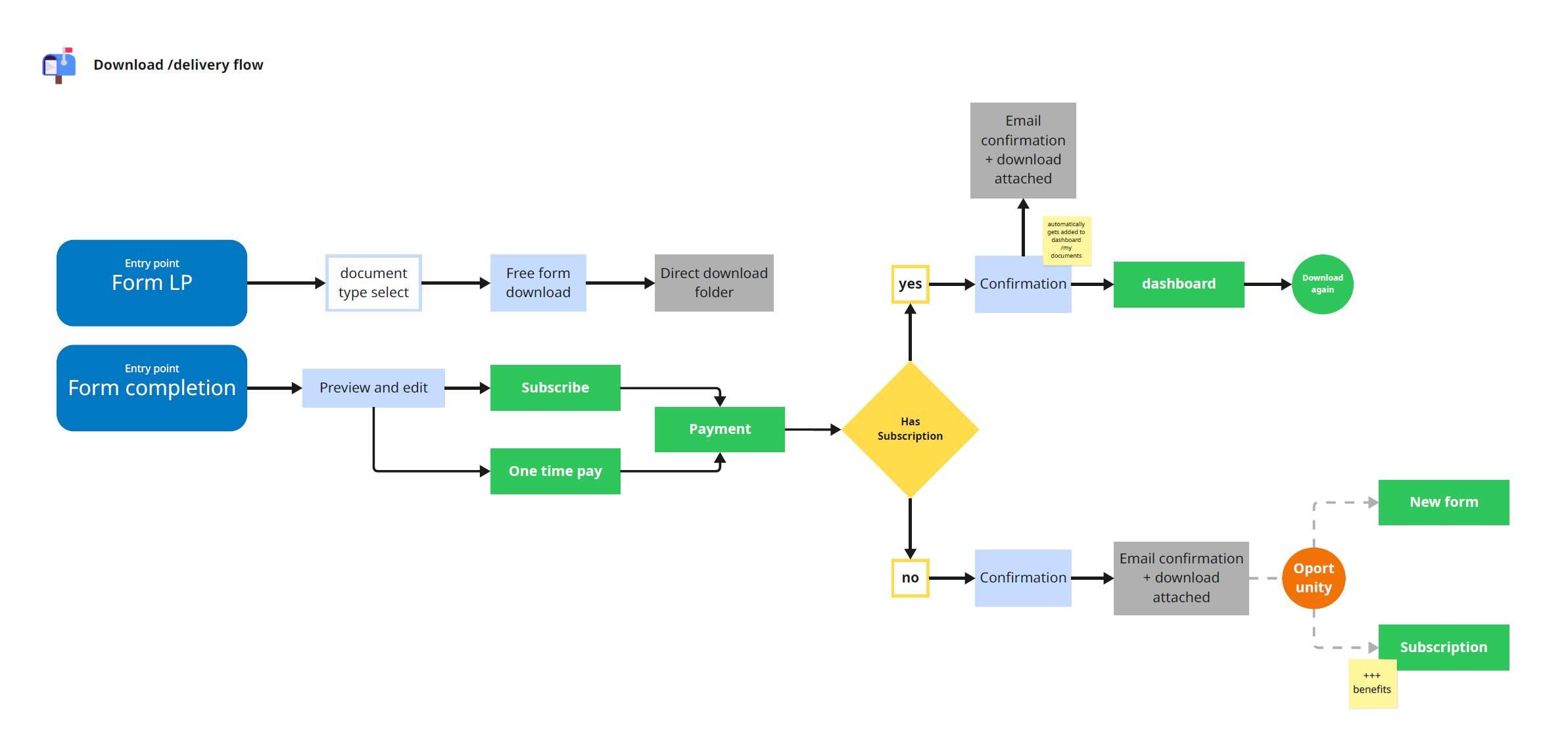
Research wrapped, building started. User flows first, then lo-fi wireframes to test structure and information hierarchy. I drafted real copy into the public pages during wireframing. Partly to test that the layouts could carry it, partly to give the brand voice somewhere to be argued about before hi-fi.
Once the flows and wireframes were signed off, the interface work began.
The Form-Filling Experience
This was the heart of the product, and where the research insight became reality.
The problem: Legal forms ask complex questions in confusing language.
The solution: A guided experience that never leaves users stranded.
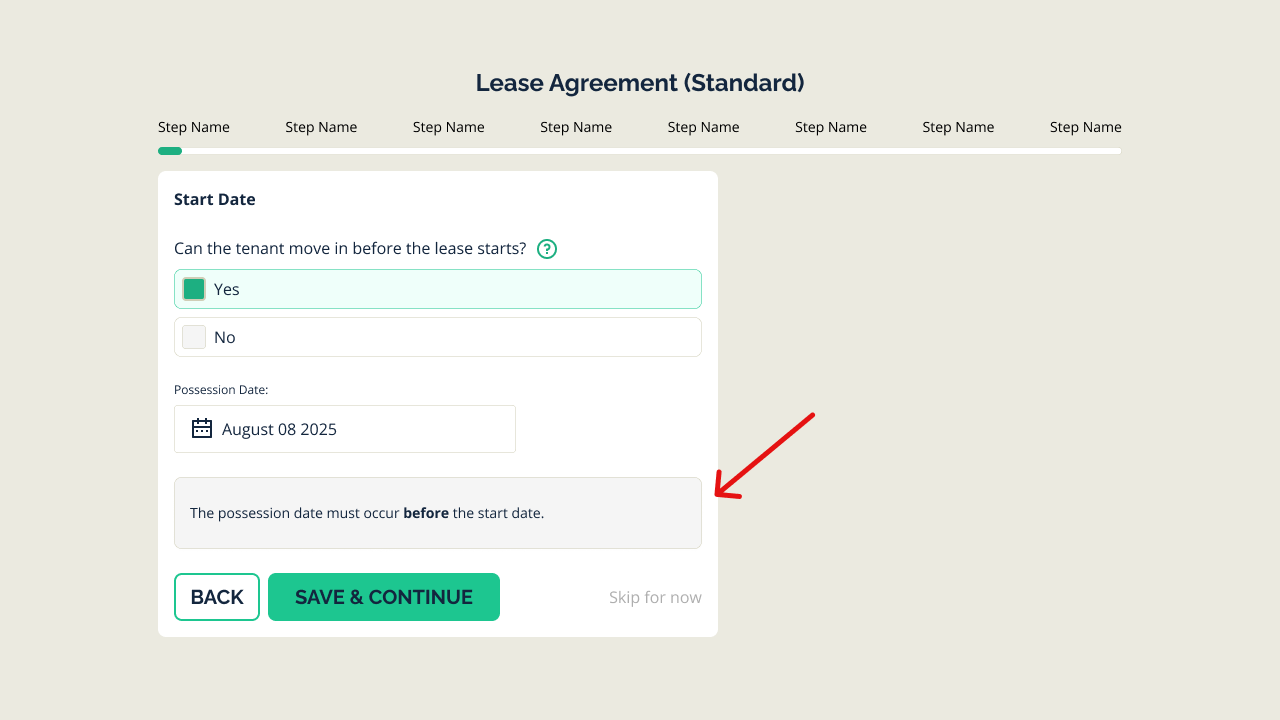
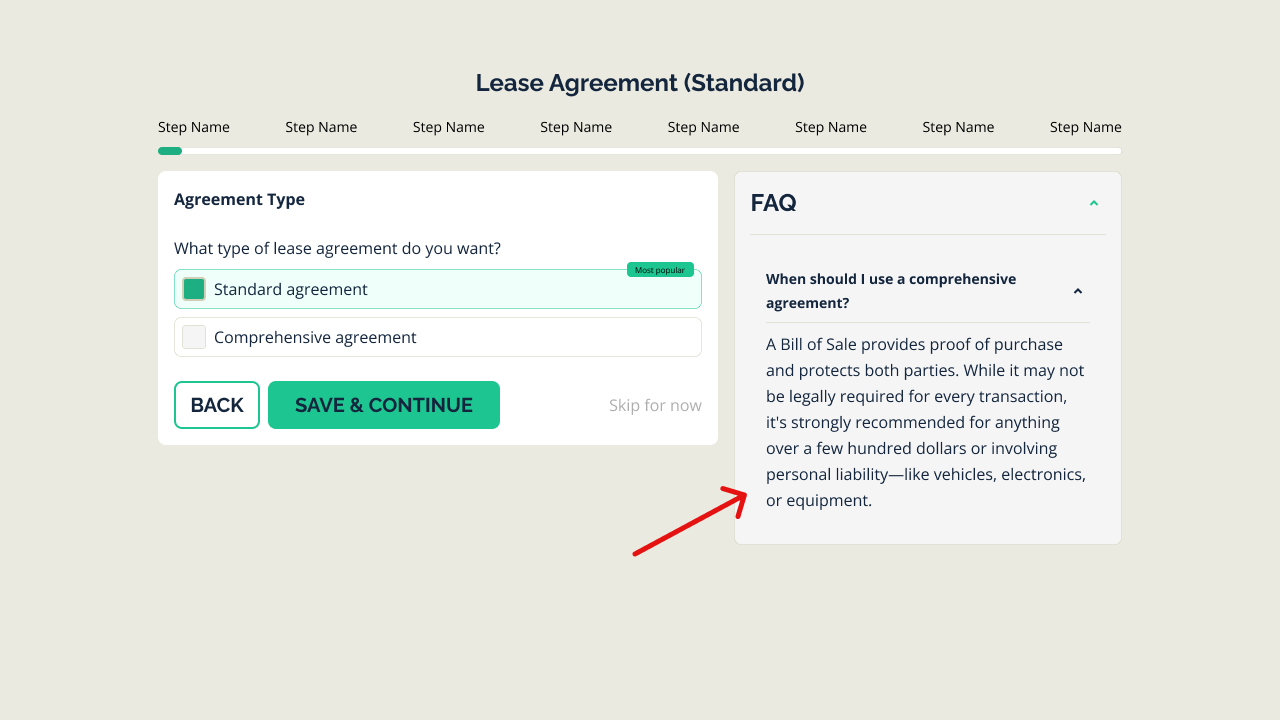
Help where the user is, not three clicks away
Every potentially confusing term gets a plain-language explanation. Hover or tap, and you see what “severability clause” actually means in words anyone can understand. Relevant questions live where users encounter them: “Why do I need this?” and “What happens if I skip this?” get answered in context, not buried in a separate FAQ page.
Smart Recommendations
When users face optional fields or complex choices, the system provides guidance. Not making decisions for them, but giving them the confidence to make informed choices.
I leveraged AI to draft initial tooltip copy and FAQ content, then refined everything for legal accuracy and brand voice consistency.
Progress & Continuity
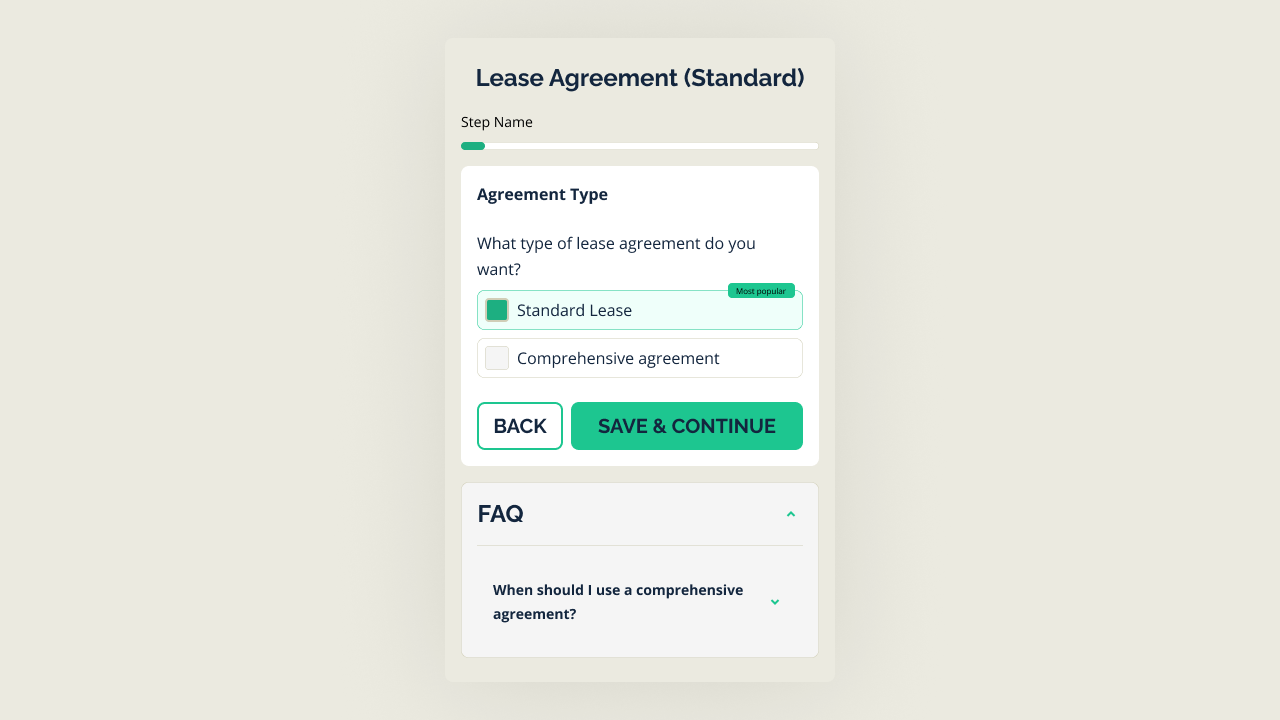
Users always know where they are in the process. A clear progress indicator shows completion status, and cross-device continuity means they can start on mobile during lunch and finish on desktop at home.
Design system, built in 4 months
The interface design reinforced the brand promise of effortlessness. Every screen was designed to feel calm, clear, and manageable, even when dealing with legally binding documents.
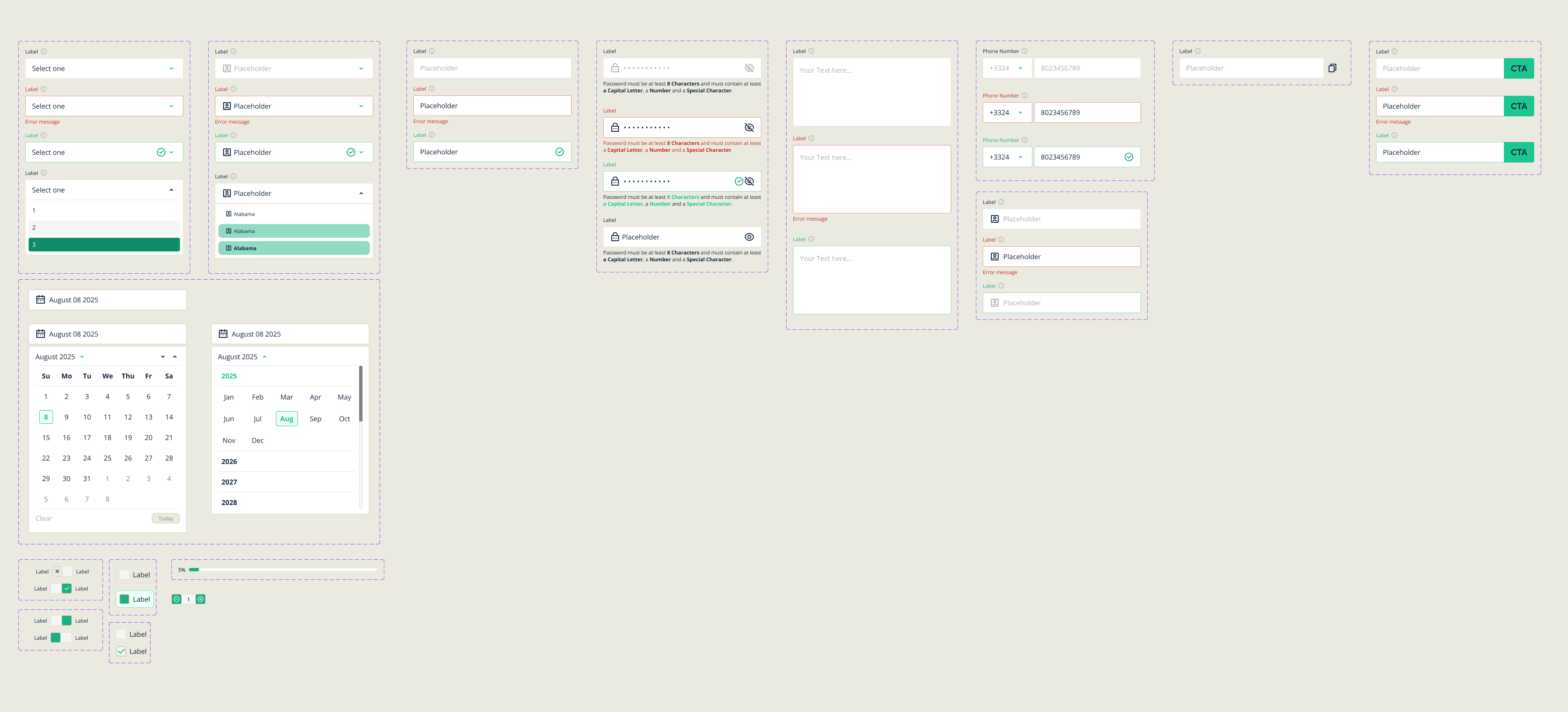
15+ document types meant the system had to scale before launch, not after. I built it from the ground up:
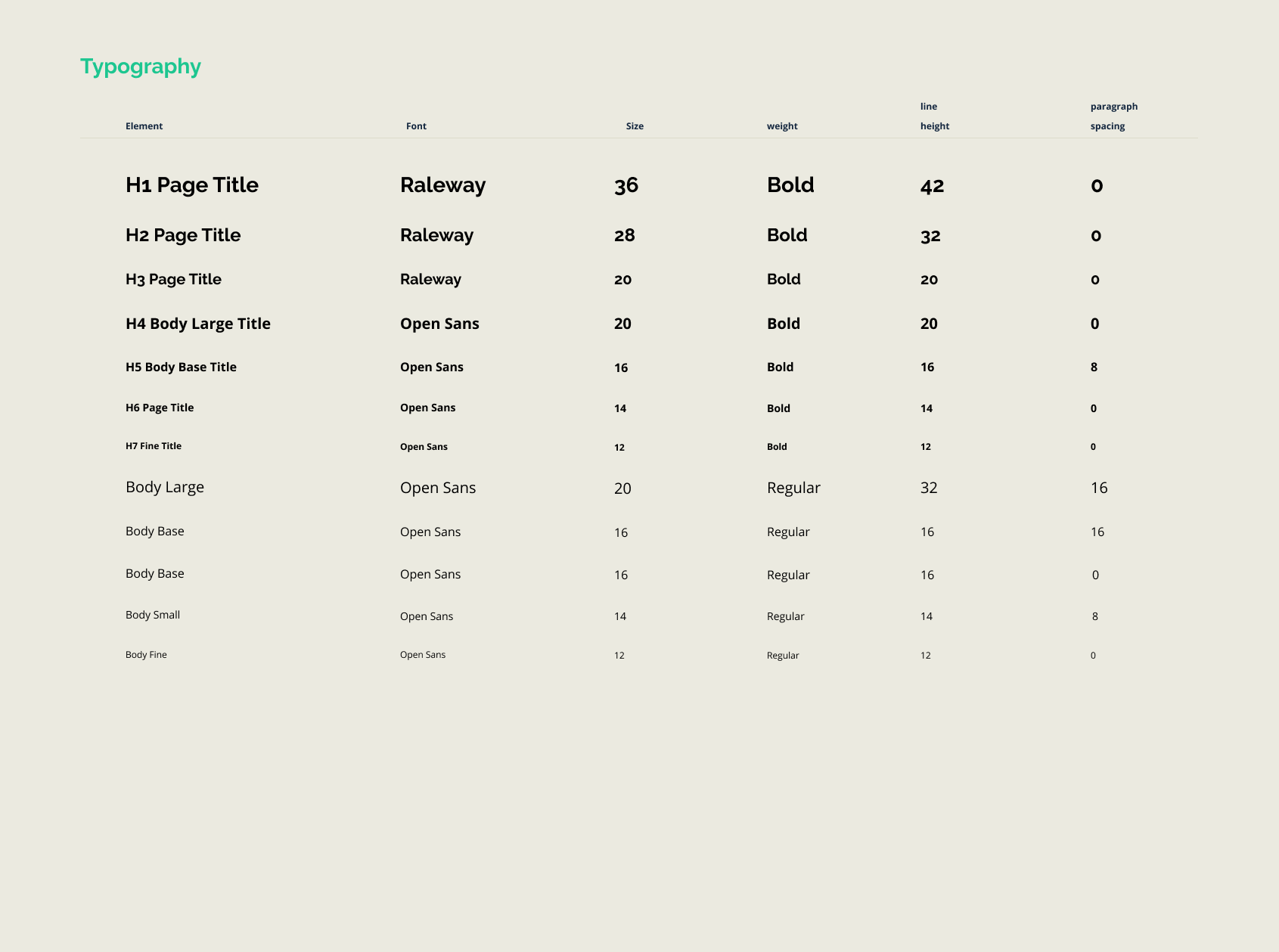
- Tokens for color, spacing, type, radius. The source of truth for every screen.
- Form-field patterns that worked across all document types without forking.
- Help and tooltip components that the contextual-help work could rely on.
- Responsive patterns for mobile completion. Start on phone, finish on desktop.
- Code-ready exports for the dev team. Variables and snippets they could pull into the codebase directly.
The full system shipped in roughly four months, alongside the rest of the MVP (same Feb–May 2025 window). Post-launch iteration based on real data extended the engagement through public launch in June. The original build predated the mature wave of AI coding tools. Worth noting only because the same scope would be a meaningfully different conversation now.
Outcome
The platform launched with 15+ document types across Business, Personal, and Real Estate, flexible pricing (7-day trial plus single-document one-time purchase for users who only needed one), and cross-device continuity.
With real users in the product, the data started telling us things research couldn’t:
- Form completion lifted 30% after a single post-launch iteration: hiding non-required fields under expandable options so the form looked shorter at a glance. The questions weren’t fewer. The cognitive load of seeing them all upfront was.
- Hotjar session recordings and GA4 flagged the exact micro-confusions to fix in tooltips and FAQ placement.
- The trial-to-purchase flow was tuned based on the conversion data, not assumptions.
What I’d carry into the next one
Simplicity is hard when the underlying domain is complex by nature. Most of the design work on LegalDocs wasn’t making things look good. It was making legal language accessible without insulting anyone’s intelligence. People aren’t stupid. They just haven’t been to law school.
The two habits I now carry into every product conversation:
- Translate the UX problem into business language before the meeting starts. Churn, retention, conversion, revenue. If you can’t translate it, it’s a preference, not an argument.
- Build the brand and the system at the same time, not in sequence. The brand decisions become the system decisions before anyone has to fight about them. By the time the dev team is looking at tokens, the brand is already inside the tokens.
Legal made effortless. That was the promise, and the product delivers on it.
Shall we collaborate?
Either way, let's start with a short meeting so you get to know me even better and I you.
Let's start with "Hello there!"